E-invoicing to EN 16931

Write invoices. E‑invoice included.

You write the invoice, BillUp turns it into a ZUGFeRD PDF. It looks like the invoices you have always sent and meets the requirements for e-invoicing at the same time. No account and no sign-up.

No sign-up · No email address · Your data stays on your device
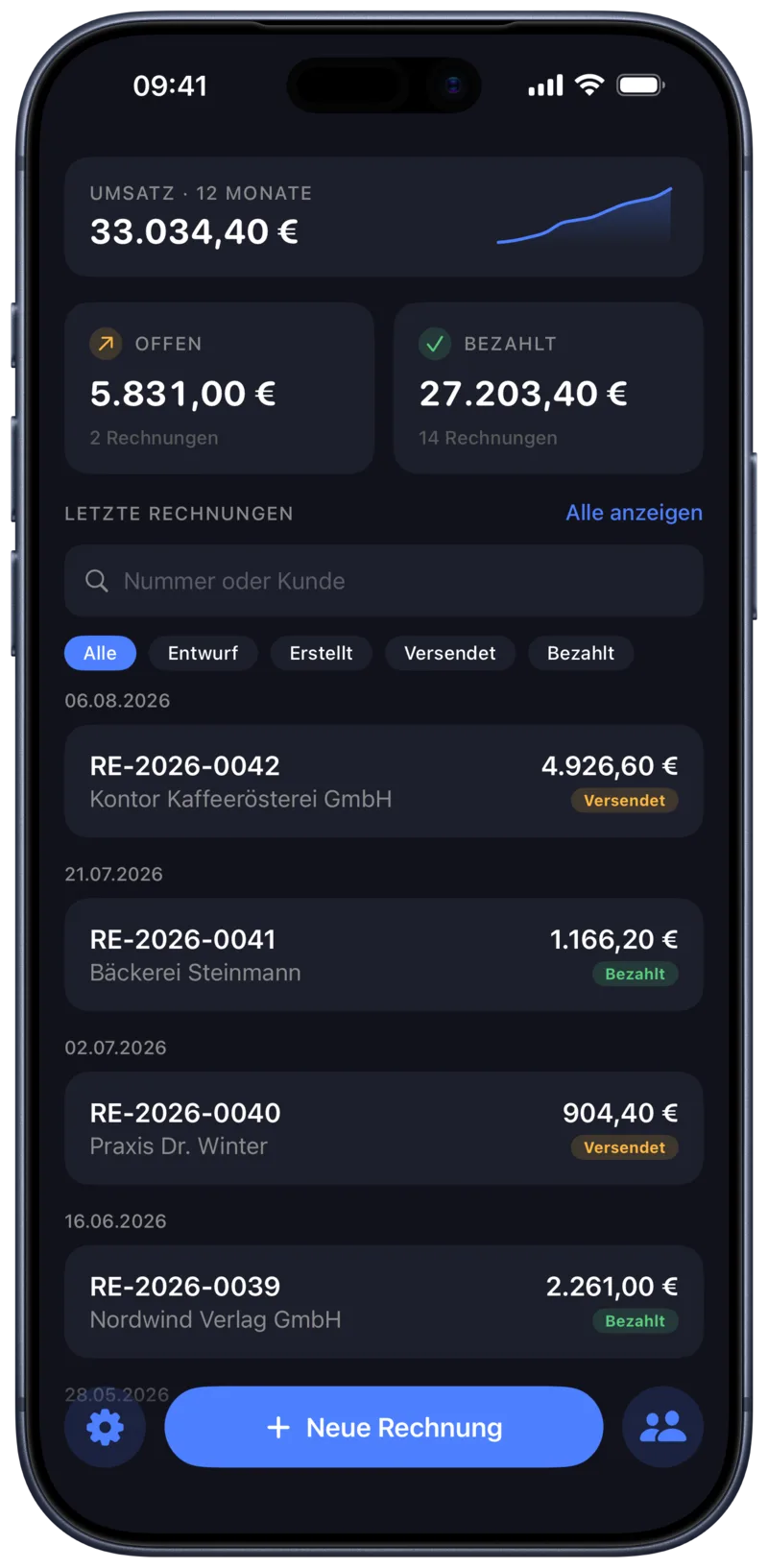
BillUp on iPhone: revenue over the last twelve months, outstanding and paid amounts and the most recent invoices

One PDF for two readers

BillUp writes ZUGFeRD: a PDF that looks like an ordinary invoice, and that at the same time contains machine-readable XML to the EN 16931 standard. Your customer reads it as a document, their accounting software reads it as a data record.

Since January 2025, every business in Germany must be able to receive e-invoices. BillUp is the simple way to send them.

Every document is validated before it is issued, against the official schema and against the calculation rules of EN 16931. What BillUp produces is a valid e-invoice.

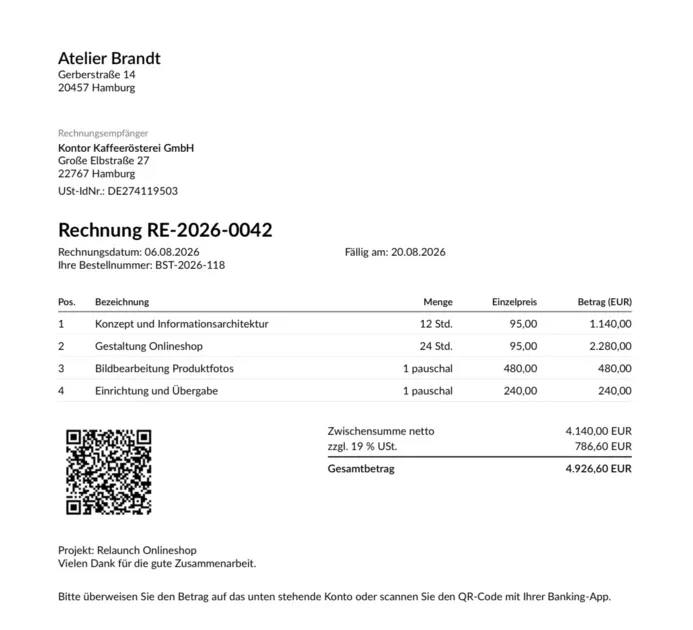
An invoice written with BillUp: letterhead, line items, VAT, total and GiroCode
This is what the generated PDF looks like. The XML sits invisibly inside it.

For people

A cleanly typeset PDF with your logo, address, tax number and bank details in the letterhead. It can be printed, forwarded and filed like any other invoice.

For software

The same PDF carries XML to EN 16931, with amounts, tax rates, payment terms and bank details. The recipient's accounting system imports it directly.

What BillUp does

Everything you need for a handful of invoices a month.

E-invoice icon

E-invoicing by the standard

ZUGFeRD PDF with embedded XML to EN 16931, validated against schema and calculation rules.

No account icon

No account

No sign-up, no password, no email address. Install the app and get going.

iCloud icon

Data stays on device

Invoices, customers and logo are mirrored through your private iCloud. No third-party server stores invoice content.

GiroCode icon

GiroCode

Your customer scans the code with their banking app and the transfer is filled in for them.

Customers icon

Customer list

Customers with search and an alphabet index. Entered once, reused every time.

Overview icon

Open and paid

An overview of outstanding and paid amounts, and revenue per month.

Any number of line items: units from pieces to hours, days, kilograms and metres.

Sequential invoice numbers: following your own pattern.

All tax categories: standard rate, small business under §19 UStG, reverse charge, intra-community supply, export and zero rate.

Delivery date & billing period: plus payment terms, due date, down payments, project and order number.

Your own letterhead: logo, address, tax number and bank details.

PDFs in the Files app: in the “Rechnungen” folder, so they are reachable without the app too.

Guided setup: on first launch your company details are entered step by step.

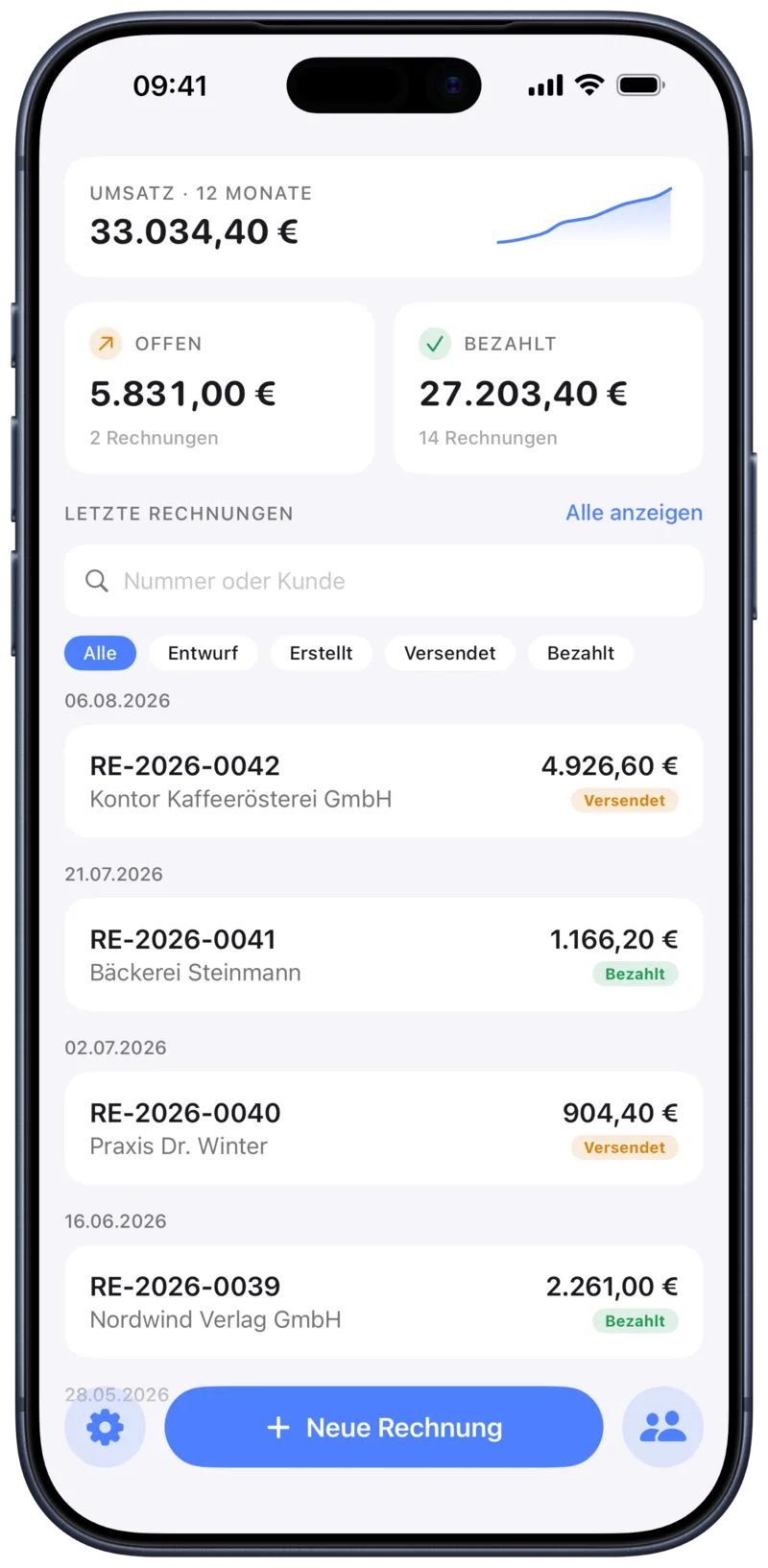
Light and dark appearance: the app follows your system setting.

Who is BillUp for?

For small businesses, freelancers, tradespeople, side businesses and solo self-employed. For people with a few invoices a month who don't want accounting software with a monthly fee and a learning curve.

  • The app does the maths Net per line item, tax per rate, gross total and the amount due after deducting a down payment.
  • An invoice in minutes Pick a customer, enter the line items, done. Your company details are already in the letterhead.
  • Get paid sooner The GiroCode on the invoice fills in your customer's transfer. Nobody mistypes an IBAN.
  • Your invoices stay yours No account, no invoice data kept on our servers. The finished PDFs sit in the Files app and belong to you.
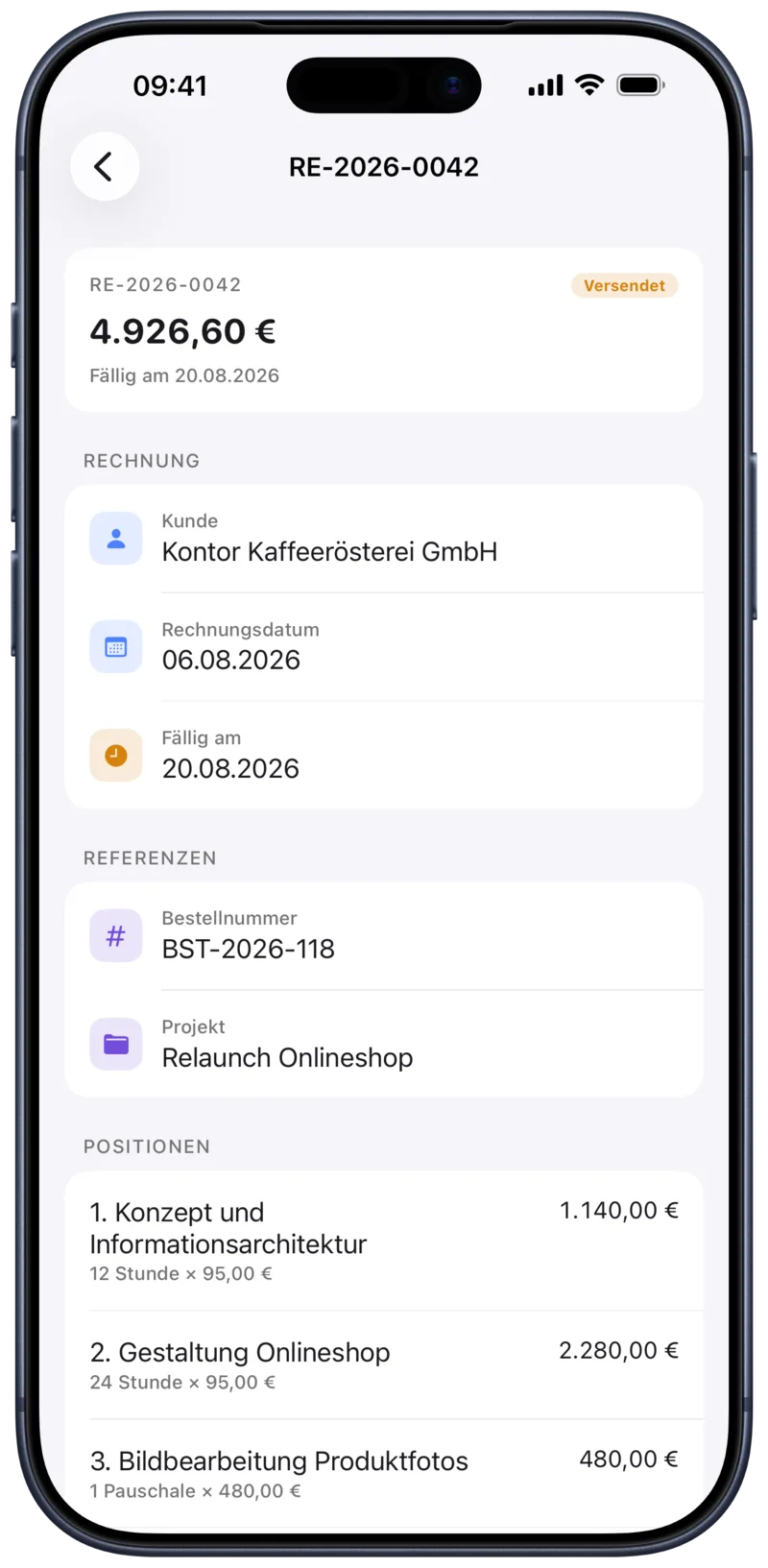
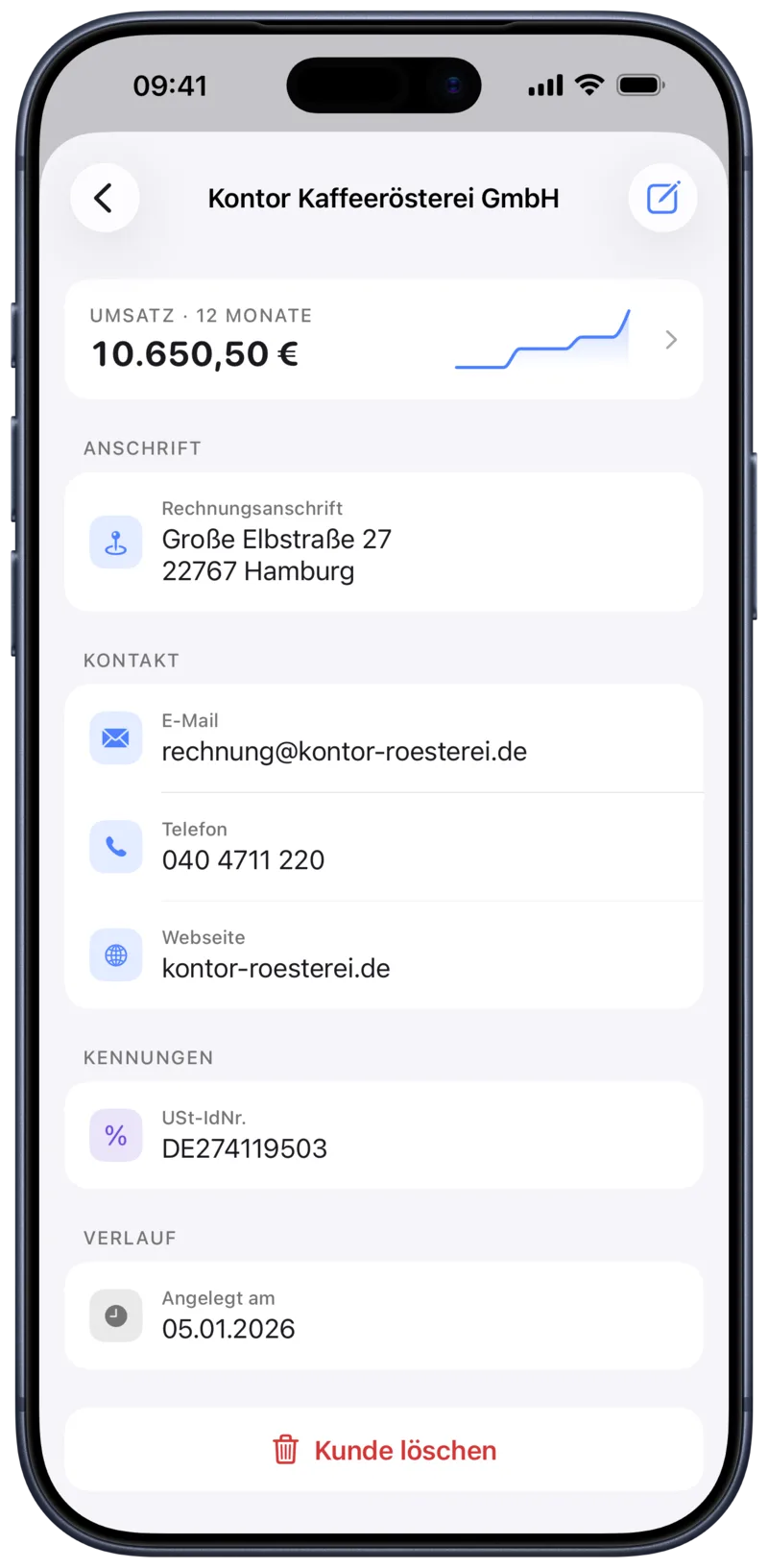
An invoice in BillUp with customer, due date, order number, project and the individual line items A customer in BillUp with address, contact details, VAT ID and revenue over the last twelve months
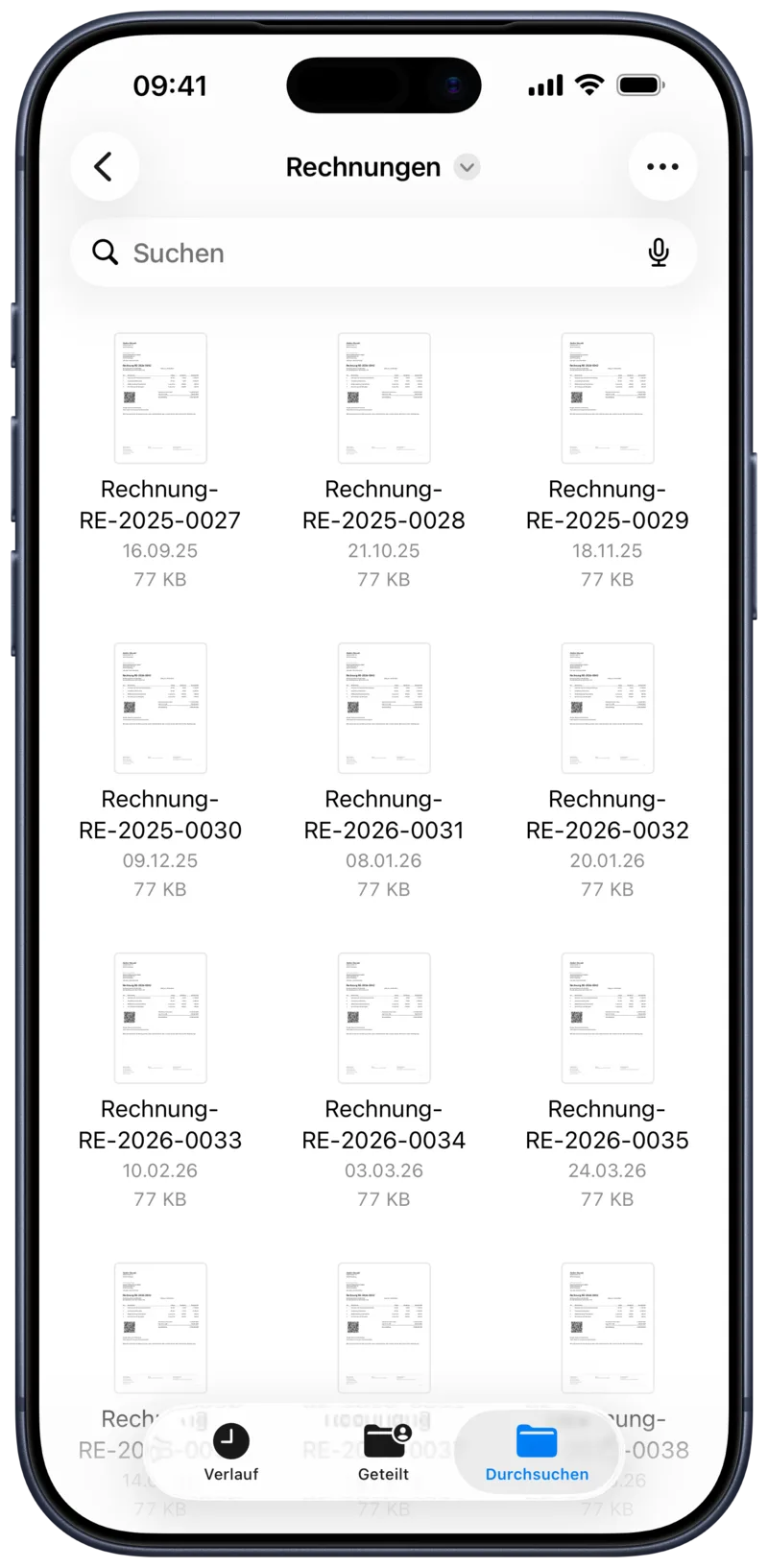
The “Rechnungen” folder in the Files app holding the finished PDF invoices

The PDFs sit in the Files app

Every finished invoice lands in the “Rechnungen” folder. You can reach them without BillUp, back them up or pass them to your accountant.

The same overview in BillUp in its dark appearance

Light and dark

BillUp follows your system setting. Dark in the evening, light during the day, without you having to change anything.

Frequently asked questions

An e-invoice is an invoice in a structured, machine-readable format defined by the EN 16931 standard. ZUGFeRD is the widely used German implementation: a PDF that looks like an ordinary invoice and that carries that XML inside it. The recipient reads it as a document, their accounting software reads it as a data record.

Since January 2025, every business in Germany must be able to receive e-invoices. Transitional periods apply to sending them. BillUp is the simple way to send them today. A ZUGFeRD PDF stays readable for every recipient, including those who cannot yet process the data.

No. No sign-up, no password, no email address. Install the app, enter your company details on first launch, and start writing.

On your device. Invoices, customers and logo are mirrored to your other devices through your private iCloud, and the finished PDFs additionally sit in the Files app in the “Rechnungen” folder. To generate the PDF, the invoice details are sent to our backend once. They are not stored there.

To create an invoice, yes, because the ZUGFeRD document is produced in our backend. Entering and looking things up works without a connection, and PDFs you have already created sit in the Files app and stay available.

Yes. BillUp supports the tax categories standard rate, small business under §19 UStG, reverse charge, intra-community supply, export and zero rate. The matching notes then appear on the invoice and in the XML as well.

A QR code on the invoice. Your customer scans it with their banking app and the transfer is pre-filled with recipient, IBAN, amount and reference. All they have to do is confirm.

Make your next invoice an e-invoice.

No sign-up and no monthly fee.

Download on the App Store